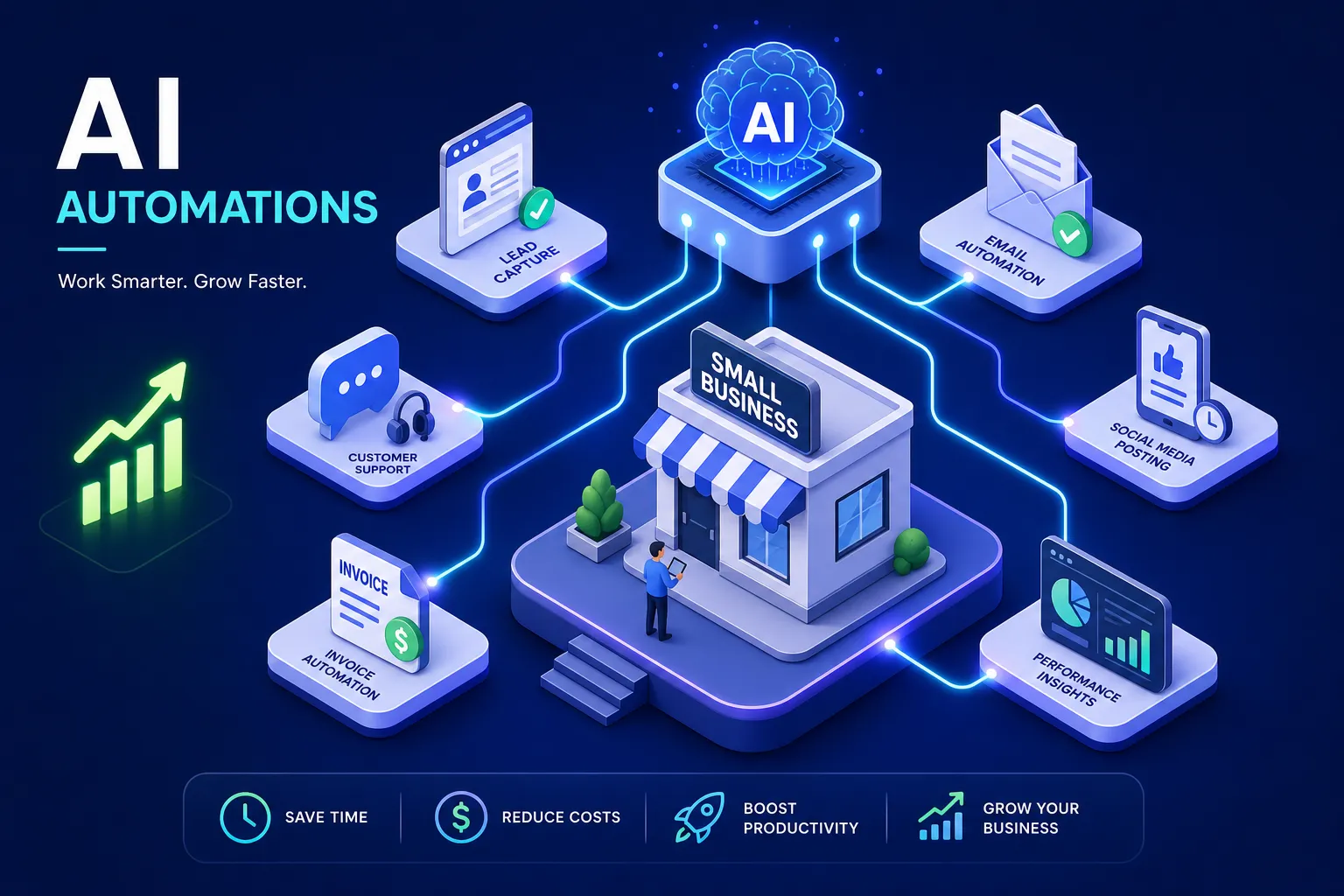
If you're wondering what AI automations actually work for small businesses, you're not alone, and the answer is more straightforward than most vendors make it sound. Many small business owners fall into one of two camps: they've tried an AI tool, found it underwhelming, and quietly moved on, or they're staring at a list of 50 automation options with no idea where to begin. Both situations are frustrating, and both are avoidable.
The automations covered in this article are not theoretical. They are workflows the team at ClickTake Technologies has built and deployed for real clients across the UK, with measurable outcomes attached to each one, drawn from case studies including a 12-person accounting practice, a Manchester professional services firm, and a Midlands e-commerce retailer. The focus splits across two categories: customer-facing automations that directly improve revenue and lead conversion, and operational automations that recover time and accelerate cash flow. Across both categories, realistic ROI ranges from two hours of admin saved per week at the low end to £15,000 in incremental revenue over six months at the high end (based on that accounting practice case study, referenced later in this article). By the end, you'll know exactly which automation to tackle first and which tools to build it with.
Why most AI automation attempts don't deliver for small businesses
The failure mode here is rarely the technology. It's choosing the wrong automation to start with. Most SME owners either reach for the most-hyped tool available, or they attempt to automate something too complex before they've built any confidence in the process. The result is weeks of setup time and very little tangible return.
The real problem is starting in the wrong place
Automation ROI is highest when you target repetitive, high-volume tasks with a clear input and a predictable output. Vague goals like "improve customer communication" produce vague results. Specific goals like "qualify every lead that fills in our contact form and create a CRM record automatically" produce measurable wins within days. The specificity of the target is everything.
How to identify a workflow worth automating
Run any candidate workflow through three questions: Is this task repeated more than five times a week? Does it follow a consistent pattern? Does it currently require a human to make a low-stakes decision? If the answer to all three is yes, you have a strong automation candidate. This filter alone will save you from investing time in workflows that sound appealing but don't have the volume or consistency to justify the build effort.
What AI automations actually work for small businesses: customer-facing wins
The first group of proven wins are automations that directly touch the client journey. These tend to get the most attention because the results show up in pipeline metrics and customer satisfaction scores, the numbers founders actually track.
Lead qualification chatbots that filter before you follow up
A chatbot deployed on an enquiry or contact page can ask qualifying questions about budget, timeline, and use case; score the response against preset criteria; and route hot leads to your CRM while deprioritising poor fits. A professional services firm in Manchester reduced proposal creation from 35 hours per week to 6 hours using exactly this approach, and new client acquisitions rose 18% within six months. The tools that make this possible include ManyChat, HubSpot AI, and custom GPT-powered bots built via Make or Zapier. A working first version typically takes two to four weeks to deploy and shows measurable impact within the first 30 days.
Customer support automation that handles the majority of enquiries
A well-configured support chatbot handles FAQs, order status, and common troubleshooting without any human input. A Midlands e-commerce retailer implemented this and cut response times by 70% and achieved 80% automatic resolution of enquiries, with customer satisfaction scores improving by 25% over the same period. Across typical SME setups, the founder or a customer service hire spends five to eight hours per week on repetitive inbox triage. That time is recoverable within weeks using tools like Tidio, Intercom, Zendesk, or a custom-built solution. For small e-commerce and service businesses, a realistic deflection rate sits between 60% and 80% for routine enquiries, and 70%+ is achievable when the bot is properly integrated with your order management and FAQ content.
Automated follow-up sequences that keep warm leads engaged
Email and SMS drip campaigns triggered by form fills, trial sign-ups, or inactivity are not just broadcast marketing, they're structured sequences with conditional logic based on lead behaviour. That distinction matters: behaviour-triggered sequences consistently outperform bulk campaigns because the message arrives at the right moment. Platforms including HubSpot, Mailchimp, and ActiveCampaign all support this natively. A five-email sequence with basic branching logic takes roughly one to two weeks to set up, and for transactional flows like abandoned cart or new enquiry follow-up, positive ROI typically appears within the first two to four weeks.
Operational automations that recover time and accelerate cash flow
Back-office automations tend to be less glamorous than chatbots, but they often deliver faster and more predictable returns because they target bottlenecks you can measure precisely before and after.
Invoice processing and payment collection
A London creative agency reported 60% faster invoice preparation and 30% faster payment collection after automating their invoicing workflow. The mechanics are straightforward: an automation watches a project management tool for a completed status, generates a draft invoice, sends it to the client, and triggers a follow-up reminder on day 7 and day 14 if unpaid. Across ClickTake's client deployments, automated payment reminders have consistently reduced average payment times by five to ten days. Most small businesses can build this using QuickBooks connected to Zapier, or through a custom Make workflow, and it's typically live within a week.
Appointment booking and inbox triage
Eliminating back-and-forth scheduling saves two to three hours per week for most service businesses. One documented example reduced a coordination process that previously took three hours down to 30 minutes after implementing automated booking. Tools like Calendly integrated with a CRM, or a Zapier plus Google Calendar setup, handle this without any custom development.
Pair that with an inbox triage layer, an AI step that reads incoming emails, classifies them by urgency, and drafts responses or routes them to the right person, and a team of two to five people can recover six to ten hours per week combined. For a business billing at £75 to £100 per hour, that's meaningful recovered capacity within the first month. These kinds of AI agents for business tasks are among the fastest to demonstrate a clear return.
Which AI automations actually work for small businesses: ROI and timelines
Vendor landing pages show headline numbers. Here is what the data actually supports across real deployments, based on ClickTake's implementation work with UK SMEs.
Timelines from first setup to first measurable result
Lead qualification chatbots typically take two to four weeks to deploy and show measurable impact within the first 30 days. Email automation sequences go live in one to two weeks. Invoice and booking automations are often live within a week of starting the build. A 12-person accounting practice that stacked several of these automations together reported 25 hours saved per week and £15,000 in additional advisory revenue within six months. That kind of compound return is what happens when you deploy one automation, measure the result, and layer in the next.
Honest benchmarks for time savings and cost reductions
Across deployments, the consistent ranges are: email triage recovering five to eight hours per week; invoice processing saving two to four hours per week; appointment booking freeing up two to three hours per week; and customer support chatbots achieving 60, 80% deflection for FAQ-heavy businesses.
It helps to frame these in two ways. Direct labour recovery is quantifiable as a salary cost: if a team member earns £35,000 per year (roughly £16, £18 per hour including on-costs), recovering 10 hours per week over 52 weeks represents approximately £8,300, £9,400 in reclaimed capacity annually. Indirect gains, faster collections, higher lead conversion, fewer dropped enquiries, often exceed the direct savings within six months.
The no-code tool stack that gets you live without a developer
Rather than listing every tool available, here is the stack that addresses most common SME automation needs without requiring any custom development work.
Choosing between Zapier, Make, and n8n for your workflows
The decision comes down to complexity and cost. Zapier offers the easiest setup with the broadest app connections: its free tier covers 100 tasks per month, and paid plans start from approximately £15 per month. Make handles more complex branching logic and offers a more generous free tier of 1,000 operations per month, with paid plans from approximately £8 per month. n8n suits teams that want self-hosted control and data privacy, with a free self-hosted option and cloud plans from approximately £18 to £20 per month.
For most small businesses starting out, Make offers a strong balance of capability and cost, though the right choice ultimately depends on your existing tool stack and the complexity of your first workflow.
Pairing GPT with your automation platform
The standard pattern that works across all four of the automation types covered in this article is: a trigger (a form submission, a new CRM record, or an incoming email), one GPT step with a focused prompt (classify, score, or summarise), and one action (create a CRM record, send a Slack notification, or draft an email reply). Keep the first automation narrow and measurable. A single working automation that saves two hours per week is more valuable than an ambitious system that never fully deploys. Build confidence first, then layer complexity in.
When to build it yourself and when to bring in a specialist
This is an honest assessment, not a pitch. Some automations are genuinely within reach of a non-technical founder using Make or Zapier over a patient weekend. Others benefit significantly from experienced architecture and deployment.
Where no-code tools are enough on their own
Simple linear workflows (form submission to CRM record, invoice trigger, booking confirmation) are well within reach of no-code tools. The risk is low, the monthly cost is manageable, and the learning curve is navigable for most founders. Start here. Build confidence with one working automation before moving to anything more complex.
Where an experienced team saves you months of trial and error
Custom lead qualification bots with scoring logic, multi-step email sequences with conditional branching, and customer support automations with escalation paths all require architecture decisions that most SME owners aren't equipped to make quickly without significant time investment. The difference between a chatbot that converts and one that frustrates visitors often comes down to how the qualification logic is structured, how guardrails are applied, and how CRM handoffs are handled when edge cases appear.
At ClickTake Technologies, we build and deploy these workflows end-to-end for clients, with implementation timelines that reflect the real-project benchmarks in this article rather than optimistic estimates. If you're not sure which automation would deliver the highest immediate value for your specific business, a free 30-minute consultation is the fastest way to get a clear answer. In one call, we can identify the right starting point, give you a realistic sense of build time, and tell you what return to expect.
Start narrow, measure everything, build from there
The businesses seeing the clearest ROI from AI automation are not trying to automate everything at once. They're deploying one well-chosen automation, measuring the result, and building from there. That discipline is what separates the businesses posting real gains from the ones still experimenting six months later with nothing to show for it.
When it comes to what AI automations actually work for small businesses, the evidence from real deployments consistently points to the same starting priorities: lead qualification, customer support, invoice workflows, and booking automation. Any one of them, implemented properly, will often demonstrate a measurable return within 30 days. Stack two or three, and the compound effect starts to look significant within a quarter.
If you're ready to identify which automation fits your business first, book a free 30-minute consultation with the ClickTake Technologies team. We'll review your current workflows, identify the highest-impact starting point, and give you a clear picture of build time and expected return, a direct conversation with practitioners who build these systems for UK businesses every day.
Want this work shipped for your brand? ClickTake Technologies delivers end-to-end ai automationengagements — from strategy to execution to ongoing optimization — for ambitious brands across four regions. Book a free 30-minute consultation and we'll scope it together.